

Open invoices and payment

Example paid workspace: Invoices and payment appears in the current-plan summary.
- Select your workspace and open Settings → Billing.
- Choose Invoices and payment in the current-plan summary.
- The Stripe customer portal opens in your browser.
- Change your paid plan using Update plan, when available.
- Cancel your paid plan at the end of the period you paid for.
- View and download your invoices.
- Update the payment method for your subscription.
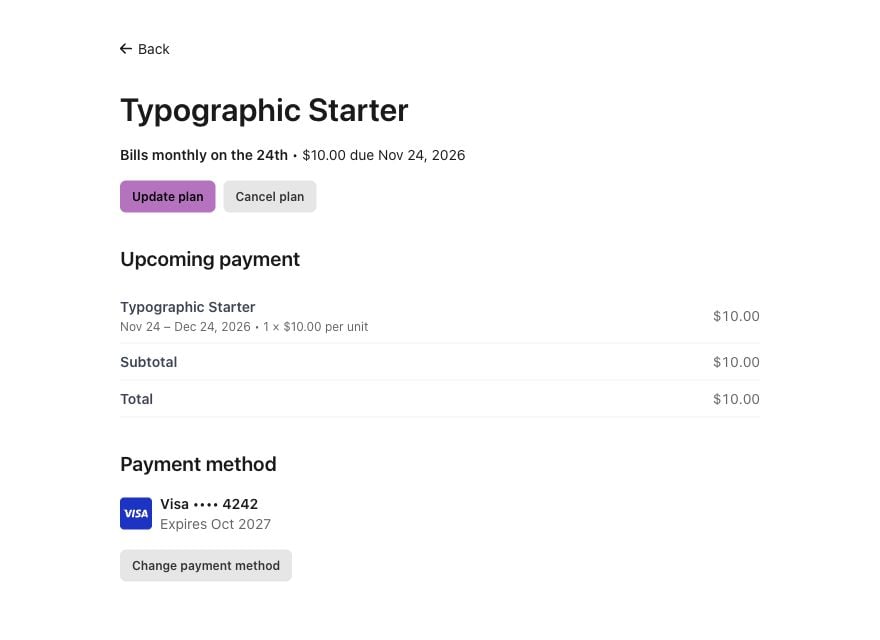
Subscription screen from Stripe's public demo, showing Update plan and Cancel plan. Your portal's appearance may differ.
Why the button may be missing
- Free with no subscription: the button isn’t shown.
- You aren’t the owner: ask the owner shown in the summary.
- Your subscription has fully ended: contact support for older invoices. You don’t need to upgrade again to ask for help.